
Runes
Rune Cast
Updated date : 2024-04-19 16:54(UTC +9)
Equipping and Using Runes
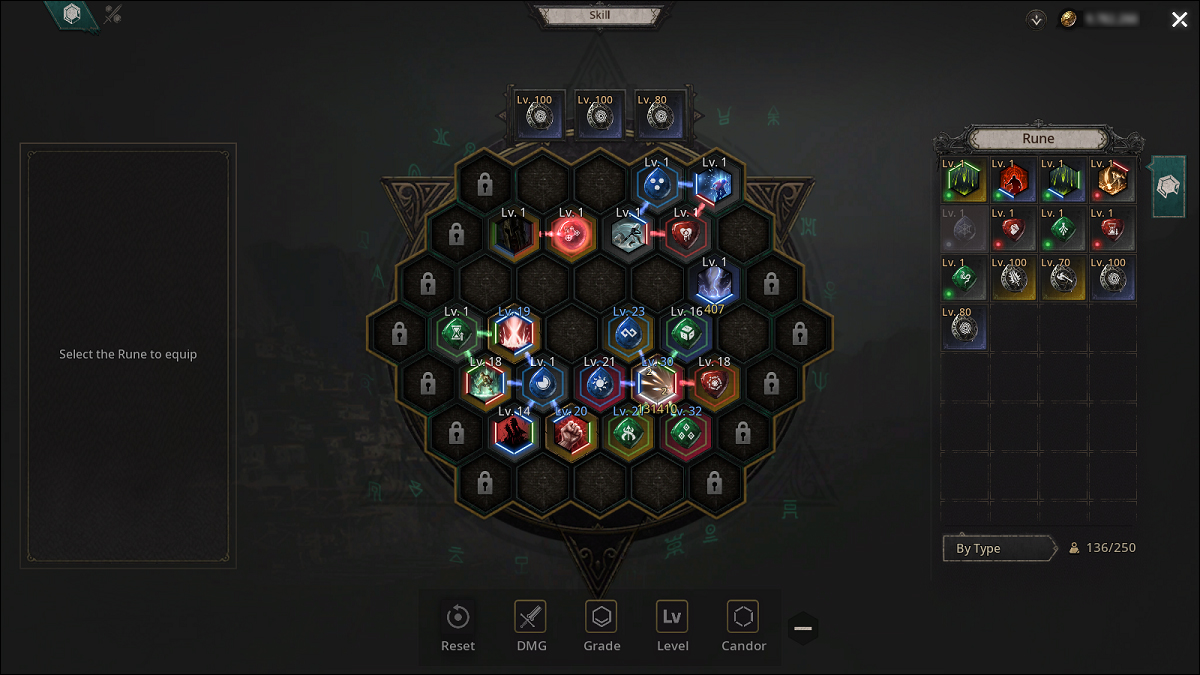
✔ Press the Skill Icon from the menu or use the hotkey "K" to open the Rune Cast.
✔ You can select and place the Rune you wish to equip from
the list of runes on the right into the Rune Cast.
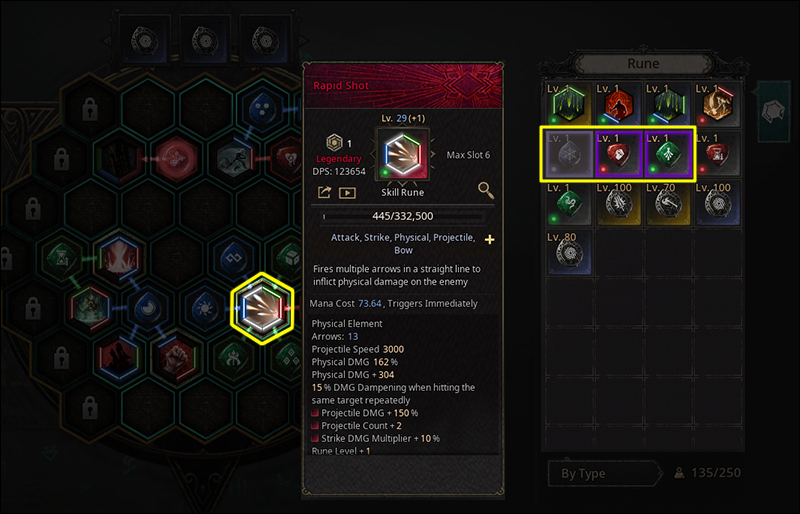
✔ Press a Skill Rune equipped in the
Rune Cast to highlight the Link
Runes that can be linked from the list of
runes.
✔ The DPS of Skill Runes equipped in the
Rune Cast are displayed while taking the Link Rune effects into account.
✔ You cannot equip duplicate Skill Runes into the Rune Cast. You can equip duplicate Link Runes into the Rune Cast, but they cannot be registered to the same Skill Rune.
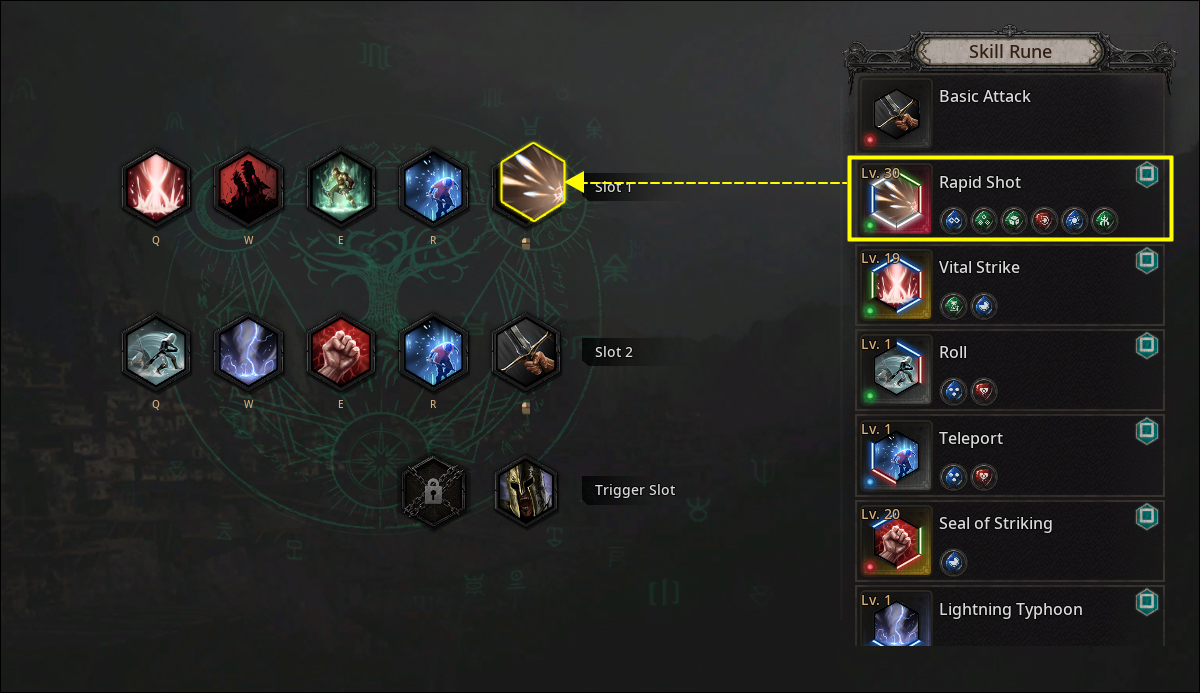
✔ Skill Runes equipped in the Rune Cast can be registered in a skill slot to be used in combat.
✔ Select the skill you wish to register from the list on the right, then select the skill slot you wish to register the skill to.
✔ There are 2 sets of 5 skill slots. You can register the same skill on both sets of skill slots.
✔ Trigger skill slots can be unlocked using currency. Only skills linked with Trigger Link Runes can be equipped in these slots.
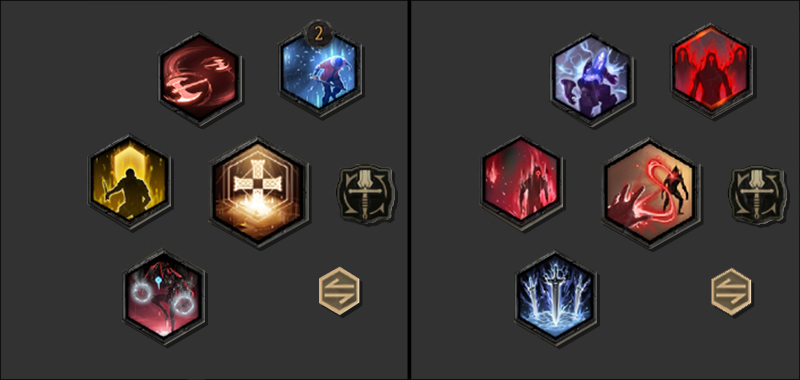
Rune Cast Expansion
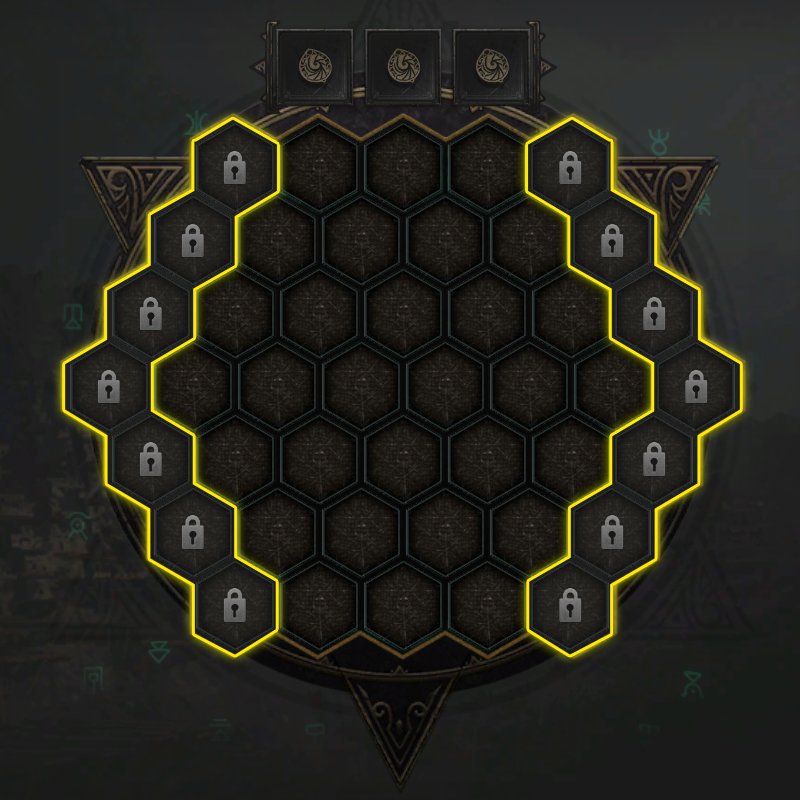
- The Rune Cast can be expanded by 7 slots to the right/left, for a total of 14 slots.
- Locked slots can be activated using [Traum's Crystal] and [Gold].

✔ Traum’s
Crystal
- Traum’s
Crystal can be obtained through combat
and contents and can be traded
through the Auction House.
[ Precaution ]
※ Please be aware that expanded slots cannot be reverted.